Features
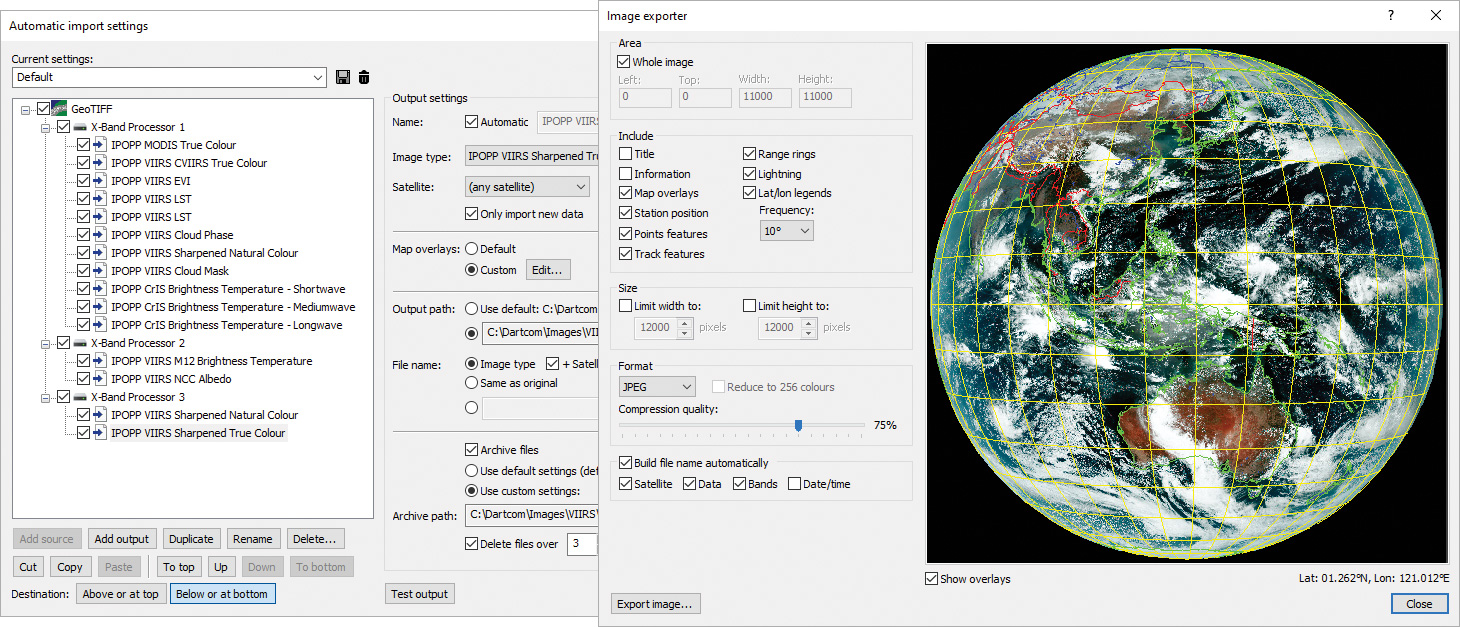
Automatic import setup window and image export window
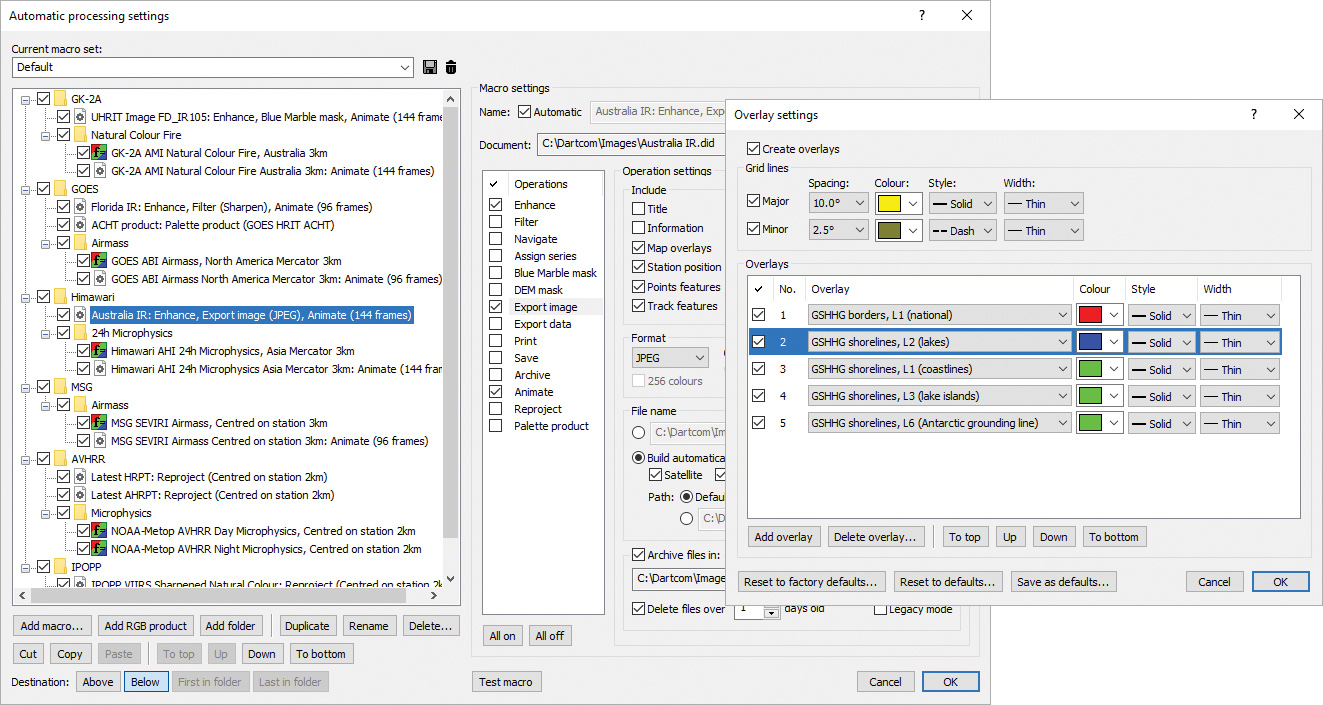
Automatic processing setup window and overlay settings window
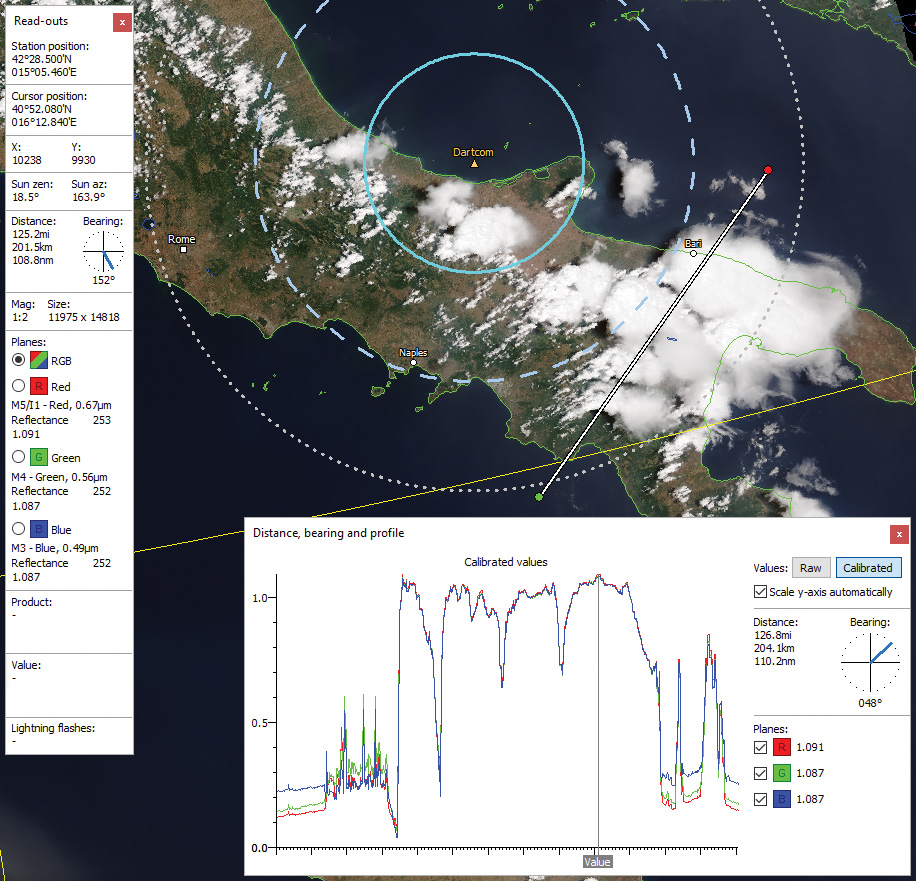
Profile along a user-defined line on a JPSS-1 true colour image with cursor read-outs and range rings around station marker
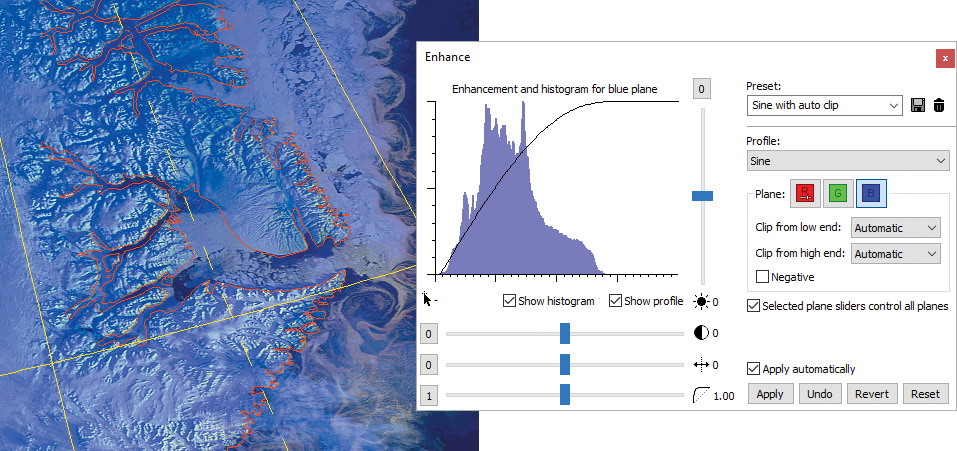
Enhanced and sharpened HRPT image showing icebergs
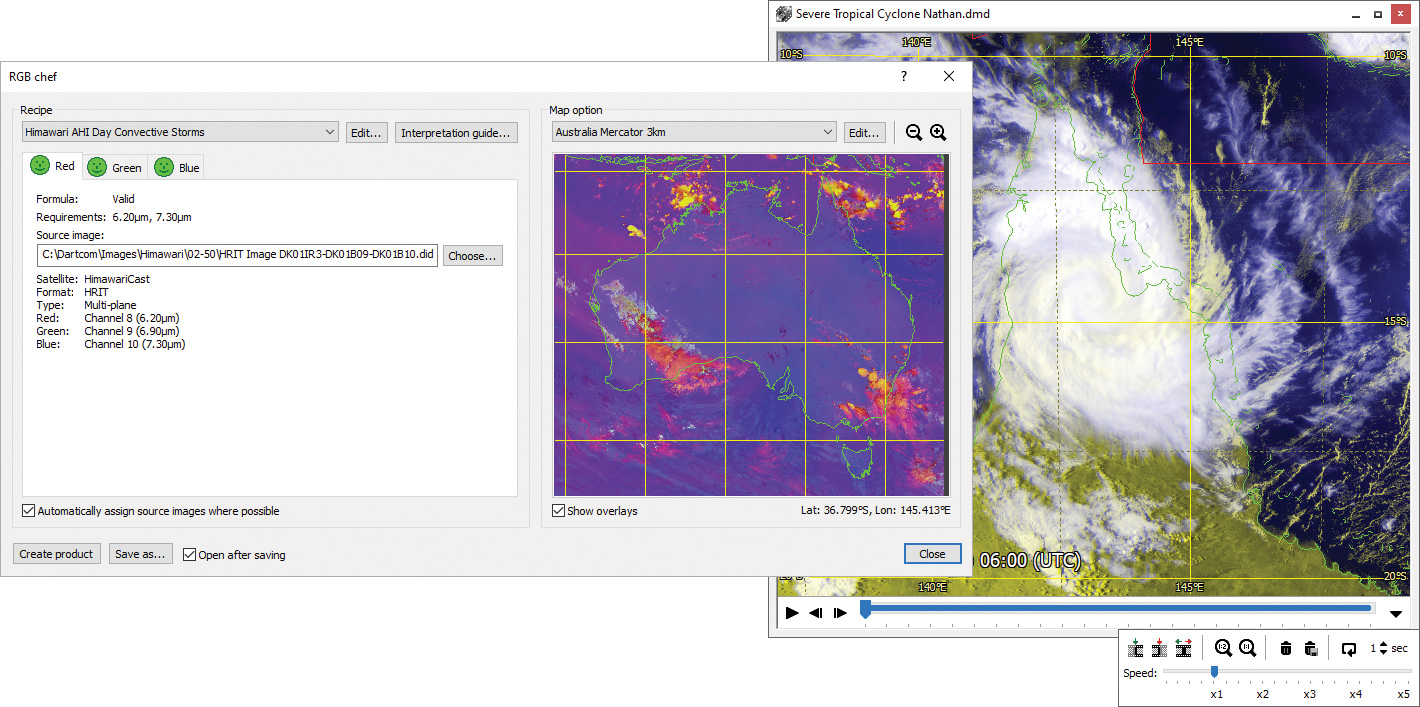
RGB product creation window and HRIT animation
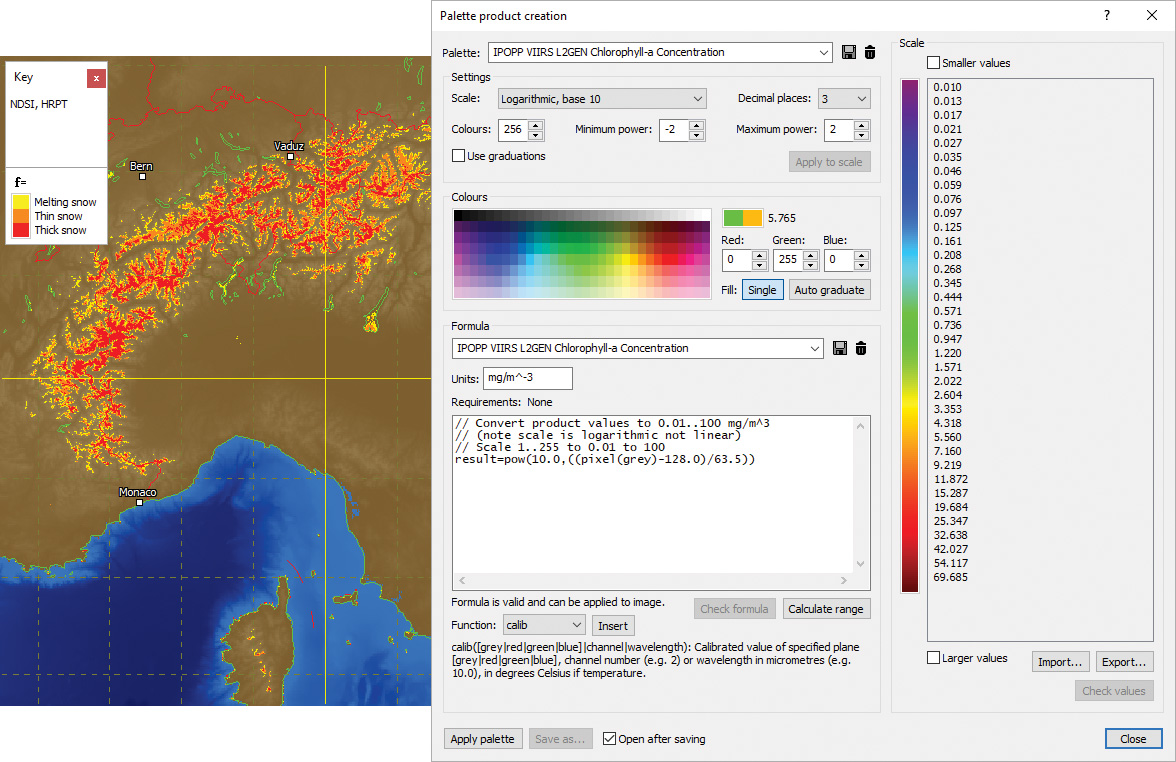
HRPT snow index product with DEM mask and palette product window set up for a logarithmic Chlorophyll-a product
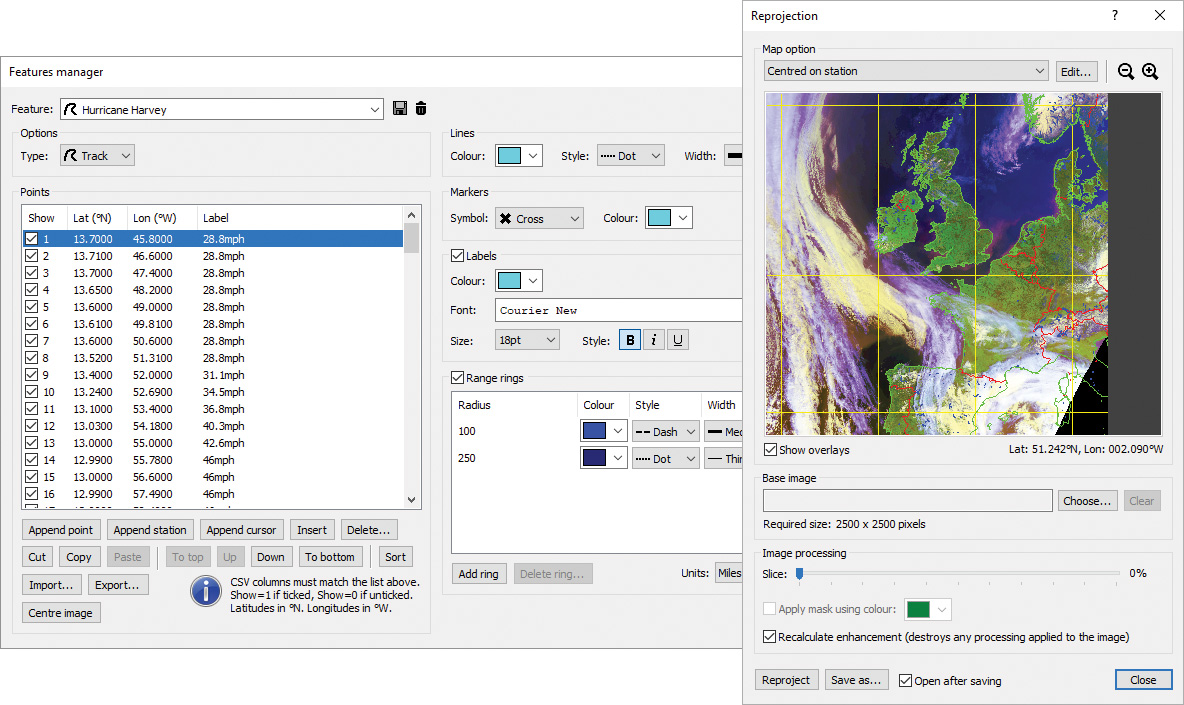
Feature overlays manager and reprojection window
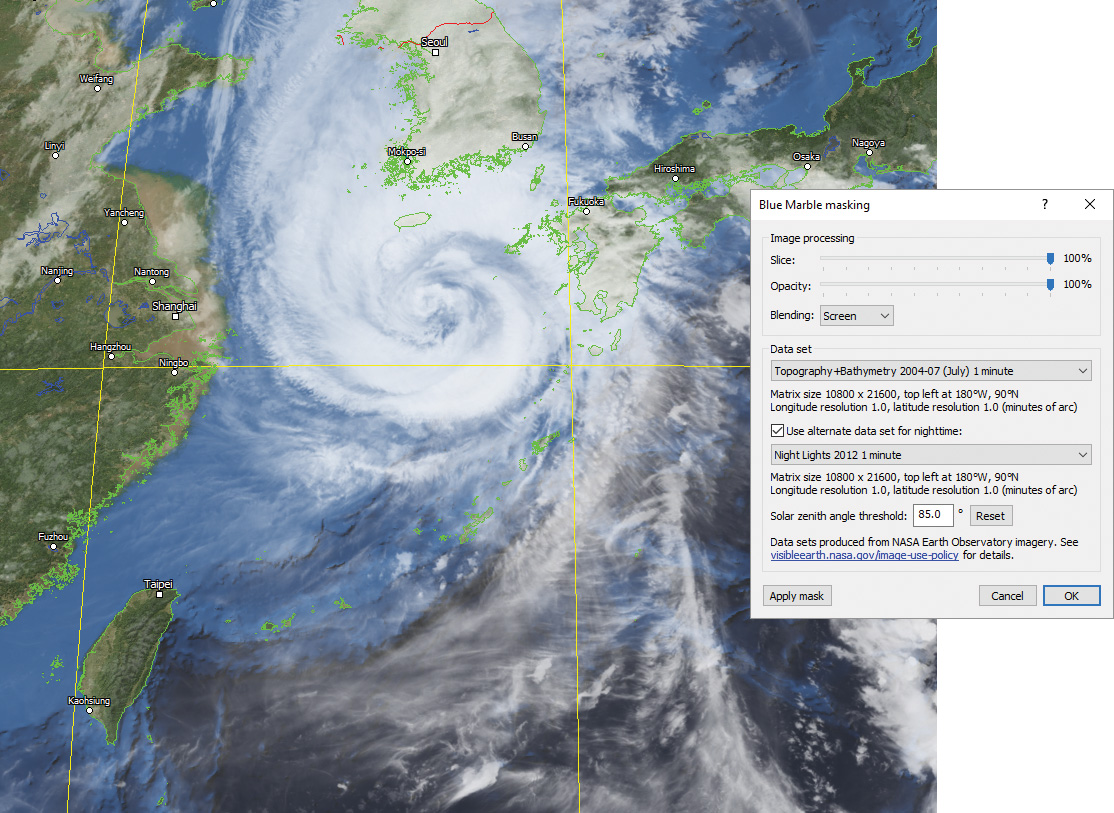
GEO-KOMPSAT-2A UHRIT 10.5µm infra-red image with Blue Marble mask and Blue Marble masking window
General features
- Opens, displays, processes, prints and exports HRPT, AHRPT, DMSP, Terra, Aqua, Suomi NPP, JPSS, FY-3, MTG, GOES ABI, LRIT, HRIT and UHRIT data.
- Multiple image, chart and animation windows.
- Handles large images with ease and efficiency.
- Worker threads utilising multiple CPU cores for faster processing.
Input and output
- Automatic updating of open files with new data.
- Lightning flash database feed from Geostationary Ingester.
- Printing of user-defined areas of images and charts, with overlays.
- Exporting of raw and calibrated data to PCI Geomatica, ERDAS IMAGINE, ENVI/IDL and GeoTIFF formats.
- Exporting to JPEG, PNG, BMP, TIFF and GeoTIFF formats with area selection, overlays, size limiting and automatic file naming.
- Exporting of data (pixel, raw, calibrated, product, latitudes and longitudes, solar angles, satellite angles, lightning flash counts) in text and binary formats (including CSV and GeoTIFF) with area selection and automatic file naming.
Automatic import and processing (MacroPro)
- Background automatic image importer with multiple sources, satellite filtering, file naming options, map overlays and archiving.
- Setup of macros to perform automatic processing on images each time new data is produced by ingest systems or imported.
- Automatic enhancement, filtering, masking, exporting, printing, saving, archiving, reprojection and product creation.
- Automatic animation with sub-sampling, adjustable maximum length (frames or timespan) and overlays.
- Detailed diagnostics with logging, alarms and storage monitoring.
Image viewing and manipulation
- Read-outs panel showing station and cursor positions, distance and bearing, solar angles, plane data types, raw, calibrated and product values, and lightning flash counts.
- Dragging and zooming modes.
- Cursor mode allowing a draggable persistent cursor to be placed on a point of interest on an image and static read-outs obtained.
- Profiler mode showing the distance, bearing and raw, calibrated and product value profiles along a line.
- Option to automatically centre on the current station position – ideal for mobile systems and moving vessels.
- Viewing of individual planes in multi-plane images.
- Multiple display support with tools for easy window arrangement.
Image enhancement
- Histogram adaptive image enhancement facilities with variable profile, clipping, brightness, contrast and gamma.
- Enhancement settings can be saved as presets for quick recall.
- Sharpen, soften, edge enhancement and blur functions.
Animations
- High-quality animations with adjustable speed, looping, selection of range of frames to play and removal of unwanted frames.
- Acquisition time shown on frames, with configurable appearance.
- Time-synchronised playback of multiple animations.
Products and classifications
- RGB products such as Airmass, Ash, Convection, Dust, Microphysics, True Colour, Natural Colour and blended images using built-in formula language to perform band mathematics.
- Palette products such as cloud temperature, cloud height, rainfall rate, SST (sea surface temperature), NDSI (snow index), NDVI (vegetation index) and lightning density.
- Configurable scale (linear, logarithmic or classification), limits, decimal places and colours, with graduated blending option.
- Importing and exporting of colour scales.
- Palette key displayed in a floating window.
- Comprehensive formula language with functions for arithmetic, trigonometry, conversion, time, point data, lightning data, blending and enhancement.
Overlays
-
Map overlays and grid lines, with configurable colours and styles.
-
Comprehensive overlays library based on the GSHHG data set.
- Station position marker with configurable symbol, colour, label and range rings.
- Vector feature overlays such as reference points, storm tracks and vessel voyage tracks, with configurable marker symbols, line styles, colours, labels and range rings.
- Importing of points and lines from Google Earth KML/KMZ files and ESRI Shapefiles.
- Lightning flash overlays with configurable time window, symbol, colour graduations and sample size.
Reprojection
- Reprojection of images to map projections such as Mercator, Equirectangular and Polar Stereographic.
- Configurable projection parameters, resolution, size and overlays.
- Option to automatically re-centre the map on the current station position – ideal for mobile systems and moving vessels.
- Map parameters can be saved as presets for quick recall.
- Creation of mosaics composed of a number of different images.
Land and sea masking
- Blue Marble (cloud-free high-resolution satellite image) masks allowing full colour topology and bathymetry to be applied to dull, featureless or greyscale images.
- Night lights blending with Blue Marble masks for nighttime areas.
- DEM (Digital Elevation Model) masks allowing a solid colour or graduations to be applied to land and/or sea areas.
- Variable slicing, opacity, blending and data set, with screen blending mode to extract cloud easily.